NOMAD API Helpers
NOMAD offers several API helpers to facilitate data retrieval, processing, and interaction. These tools give you flexible and powerful access to NOMAD's data resources and functionalities. Almost everything you see in the GUI can be accessed via the API.
API button on NOMAD pages
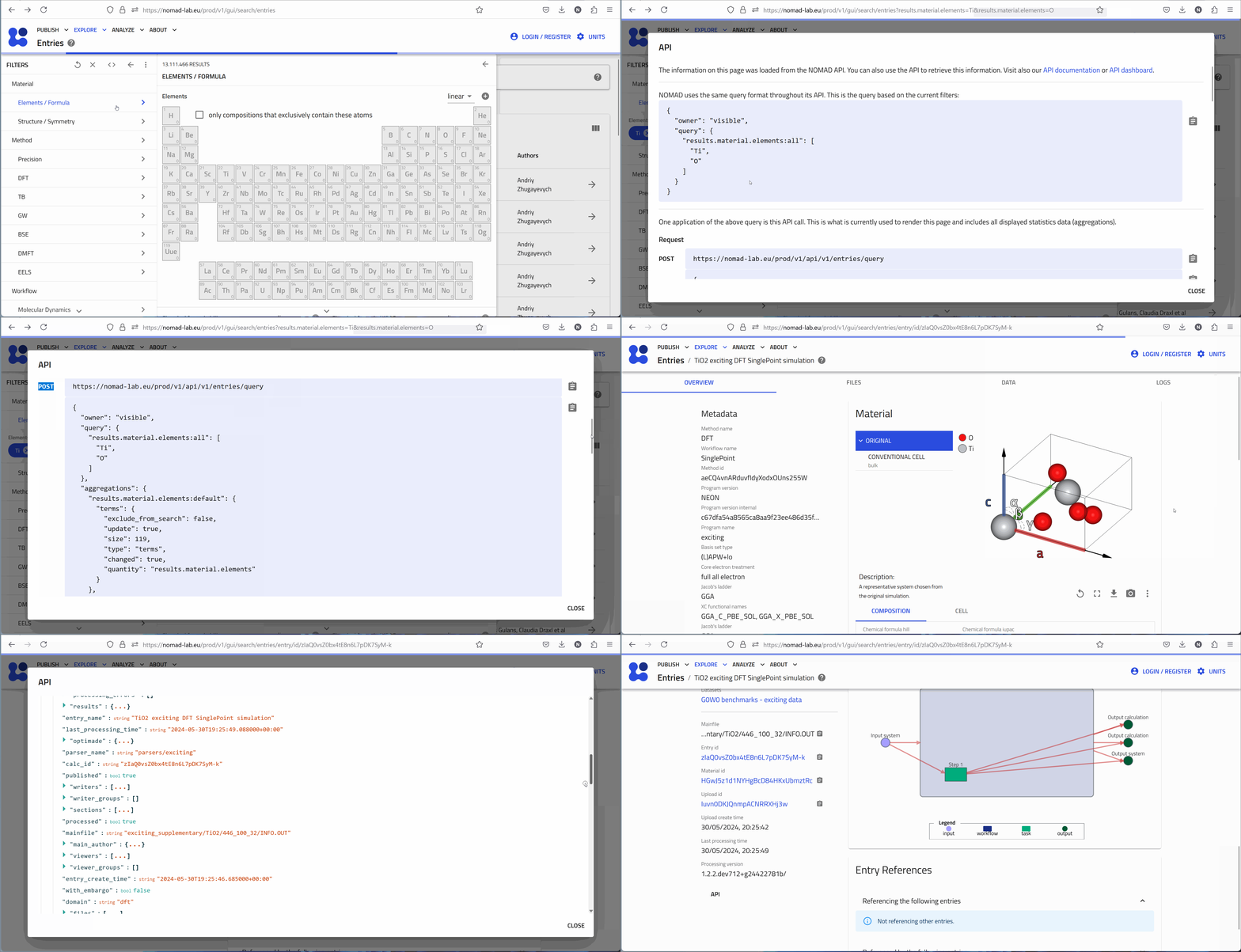
When exploring data in NOMAD, each page in the GUI includes an API button, (API), or it's symbol, (<>). This shows the GET request used to retrieve the data for that page. Often, there is an additional POST request available, for instance:
- Explore Page contains a POST request to the
https://nomad-lab.eu/prod/v1/api/v1/entries/queryendpoint, including the chosen filters. - Entry Pages: Include a POST request to the
https://nomad-lab.eu/prod/v1/api/v1/entries/{entry_id}/archive/queryendoint, which allows fetching archive data (processed data) of that entry.
NOMAD API dashboard
The NOMAD API dashboard is a powerful tool for accessing and experimenting with NOMAD's data resources. It provides detailed documentation and interactive features that make it possible to learn and use the API effectively. Whether you are developing applications, automating data upload or retrieval, or just exploring data, the API dashboard is an important resource.
Accessing the API dashboard
The API dashboard can be accessed from the 'ANALYZE' menu under NOMAD APIs.
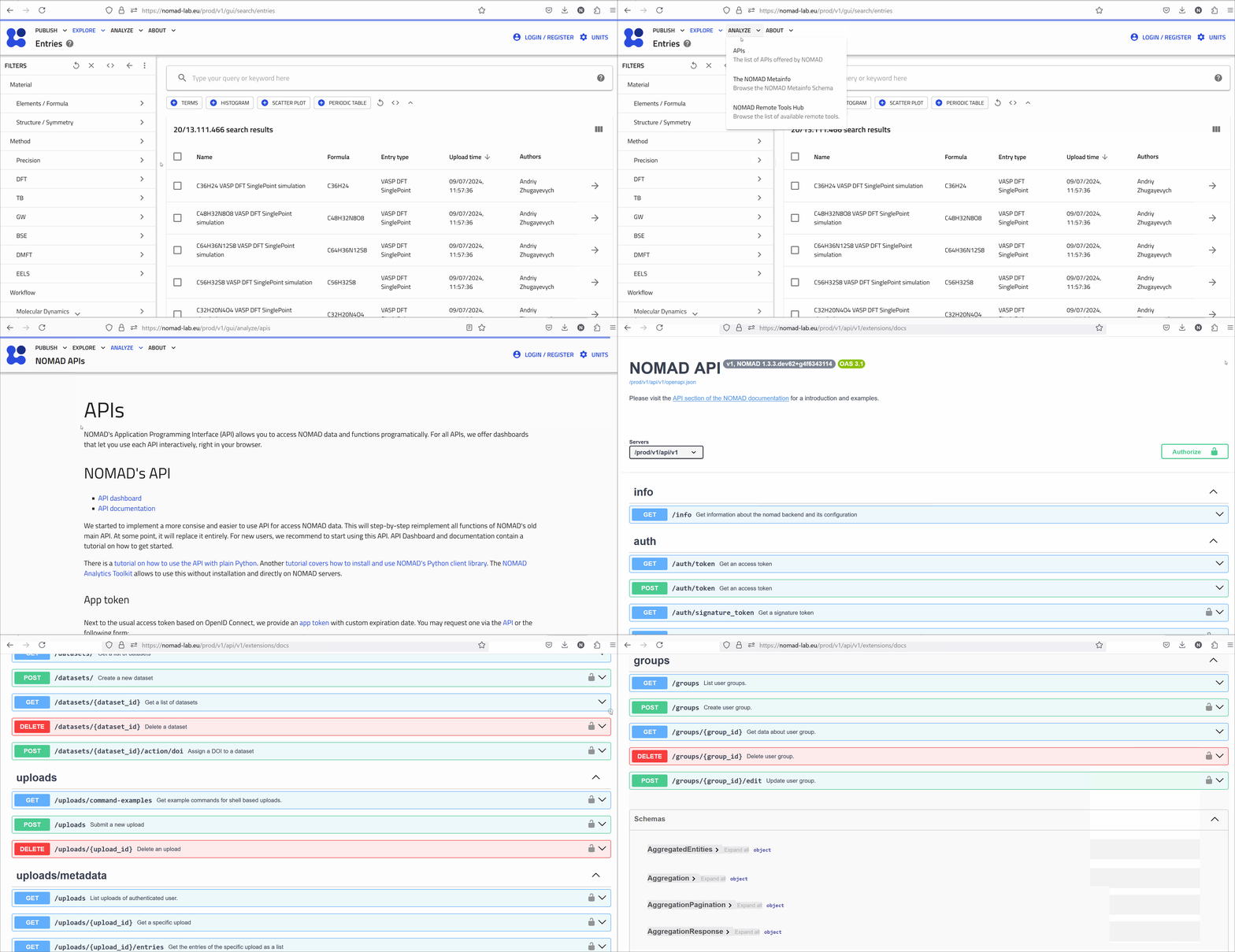
Features of the NOMAD API dashboard
-
Rich documentation:
- It offers comprehensive descriptions of all available resources, relevant endpoints, and possible operations. Each endpoint is documented with its available methods (GET, POST, DELETE, etc.), required parameters, request bodies, and example responses.
-
Schemas:
- For each API endpoint, the dashboard provides detailed schema information, helping to understand the structure of requests and responses.
- This is particularly useful for making correct API calls and interpreting the responses.
-
Testing in browser:
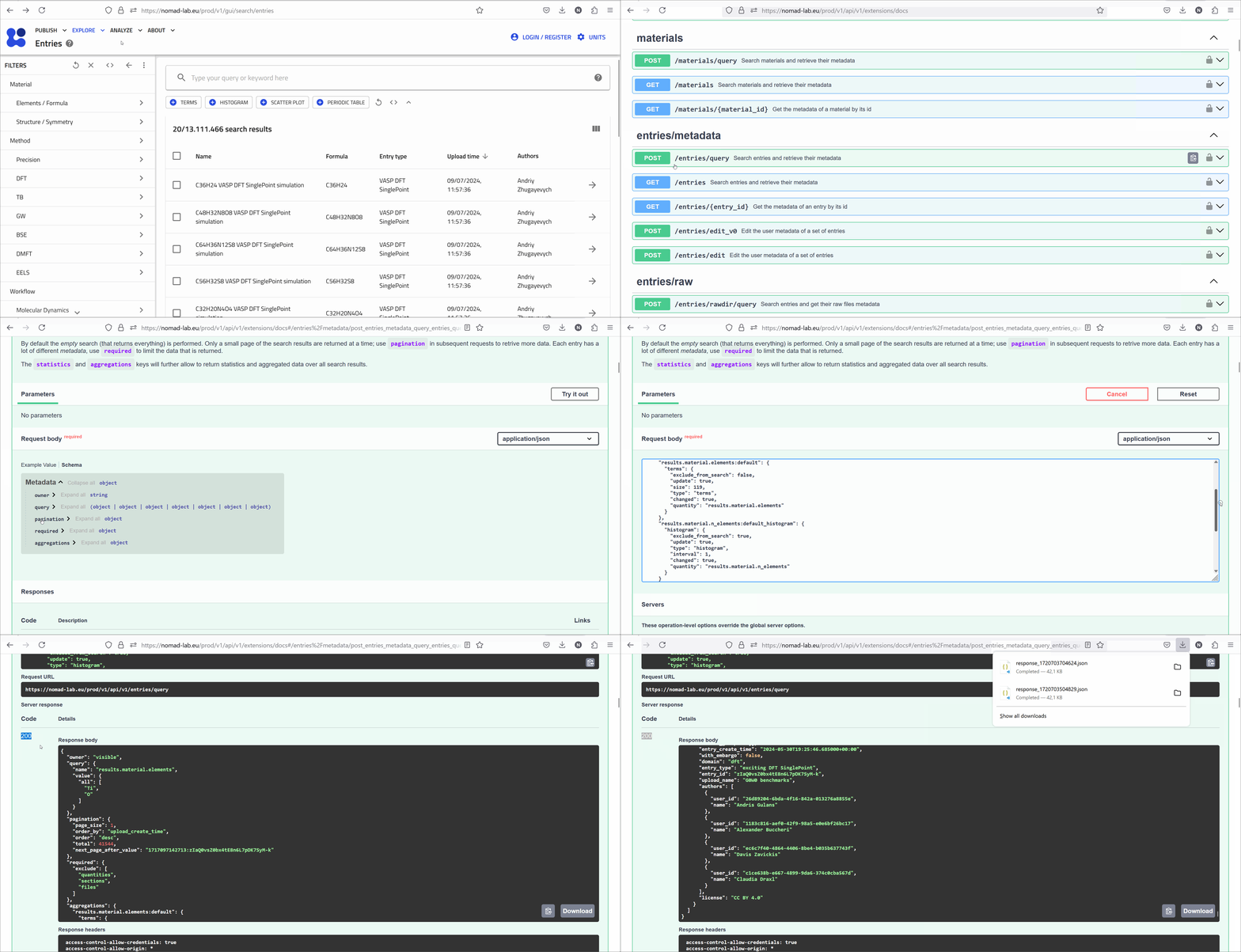
- Based on OpenAPI, the dashboard provides an interactive experience where you can explore all API endpoints.
- The 'Try it out' feature allows you to test API calls directly in the browser. You can modify the request parameters and see real-time responses from the NOMAD backend. This feature is very useful for testing, debugging, and learning how different API calls work.
The API section of the NOMAD documentation provides further information.